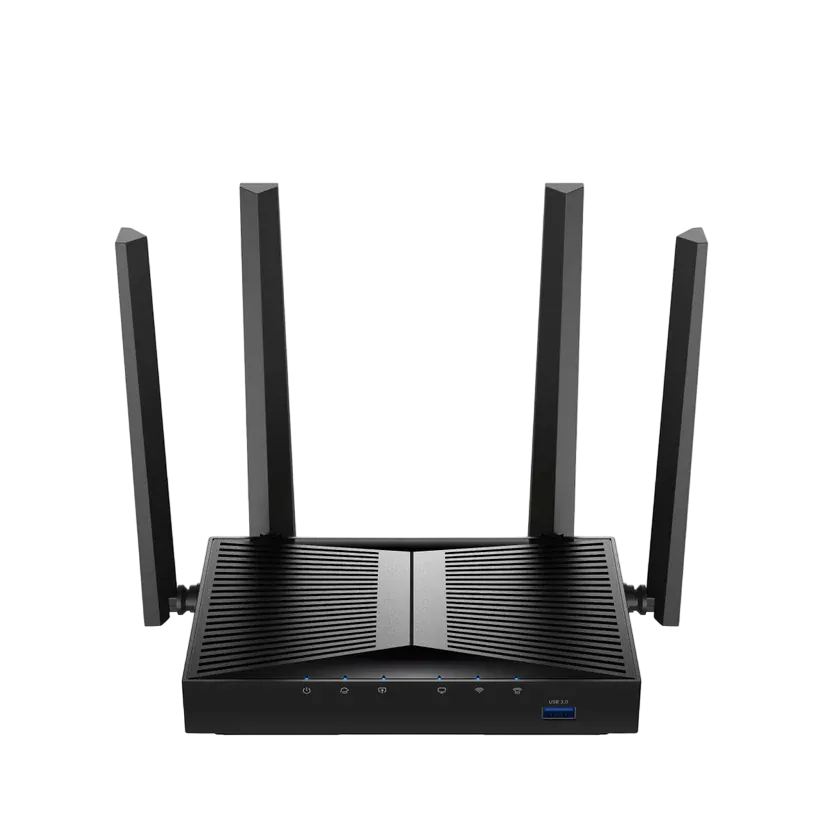
Cudy WBR3000UAX/Cudy WR3000U
Note
The build and the installation method are also compatible with Cudy WR3000U-256MB. However, full functionality is not guaranteed.
Specifications§
- Processor
- MediaTek MT7981B, aarch64, 1300 MHz
- Flash memory
- 128 MB NAND
- RAM
- 512 MB DDR3
- Ethernet
- 4 × 1G LAN + 1 × 1G WAN
- USB
- 1 × USB 3.0
- Wi-Fi chip
- MediaTek MT7976CN
- Wi-Fi 5 GHz
- AX, 160MHz, 2x2, 2402MB/s, 1024QAM
- Wi-Fi 2.4 GHz
- AX, 40MHz, 2x2, 574MB/s, 256QAM
- Revisions
- First —
SN: WBR
Second —SN: S00
Build features§
- FunctionalityExcept:
Cloud services
Components - Factory resetWith the Reset button
- WPS buttonYes
- LEDsYes
- Mesh compatibilityWith original devices and clones
- Built-in storage70.9 MB, Entware can be installed
- Modem rebootRequires a hardware mod
Preparing for flashing§
- Download and unpack the firmware archive In the panel under the device name, pick your system: Windows, macOS or Linux. Starting the installer on macOS and Linux.
- Connect the router to the computer with a cable (Ethernet) Flashing over Wi-Fi is not possible.
Warning
The router must be connected to the PC with a cable. Turn off your OS firewall and antivirus, and any other wired connections if there are some. If problems occur, use Safe Mode with Networking.
About the flasher program
Cudy_WBR3000UAX_flasher creates backups, prepares the EEPROM, generates new service data and installs the firmware. When it finishes, the router reboots automatically.
Installing from stock firmware§
-
Uploading the configuration On the
Advanced Settingstab, chooseBackupand upload the configuration file from the firmware archive:settings.bin, orsettings_WR3000U-256MB.binfor the WR3000U-256MB version.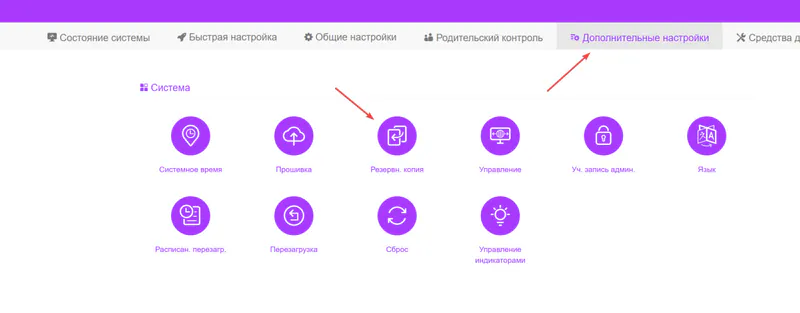
-
Flashing After the reboot, run
Cudy_WBR3000UAX_flasher, choose Stock firmware, click “Install” and wait until it finishes. -
System start The device starts within ~3 minutes.
Done!
Router access
- Web interface
- 192.168.1.1
- Login
admin- Password
12345678- Wi-Fi password
12345678
Installing from OpenWrt§
Caution
The method works only with standard OpenWrt; the U-Boot Layout variant is not supported.
- Uploading the image In the OpenWrt web interface (or the bootloader's web interface), upload
default-openwrt.binas an update. You can clear theKeep settingscheckbox. - Flashing After the reboot, run
Cudy_WBR3000UAX_flasher, choose OpenWrt, click “Install” and wait until it finishes. - System start The device starts within ~3 minutes.
Done!
Router access
- Web interface
- 192.168.1.1
- Login
admin- Password
12345678- Wi-Fi password
12345678
Updating the firmware§
To update, use the Athena bootloader or KeenKit.
Since version 5.0.7 the firmware can also be updated through the web interface.
Reverting to stock firmware§
The revert is done from a full backup through the Athena bootloader. The steps are in the instructions for MT7981.
Rebooting the USB modem (USB-Mod)§
Info
The mod is needed to power-cycle the USB modem — more details
Warning
The new revision (SN: S00) supports USB modem reboot out of the box — no modification is needed!
Two USB mod options§
-
Simple Remove the marked resistor
R302.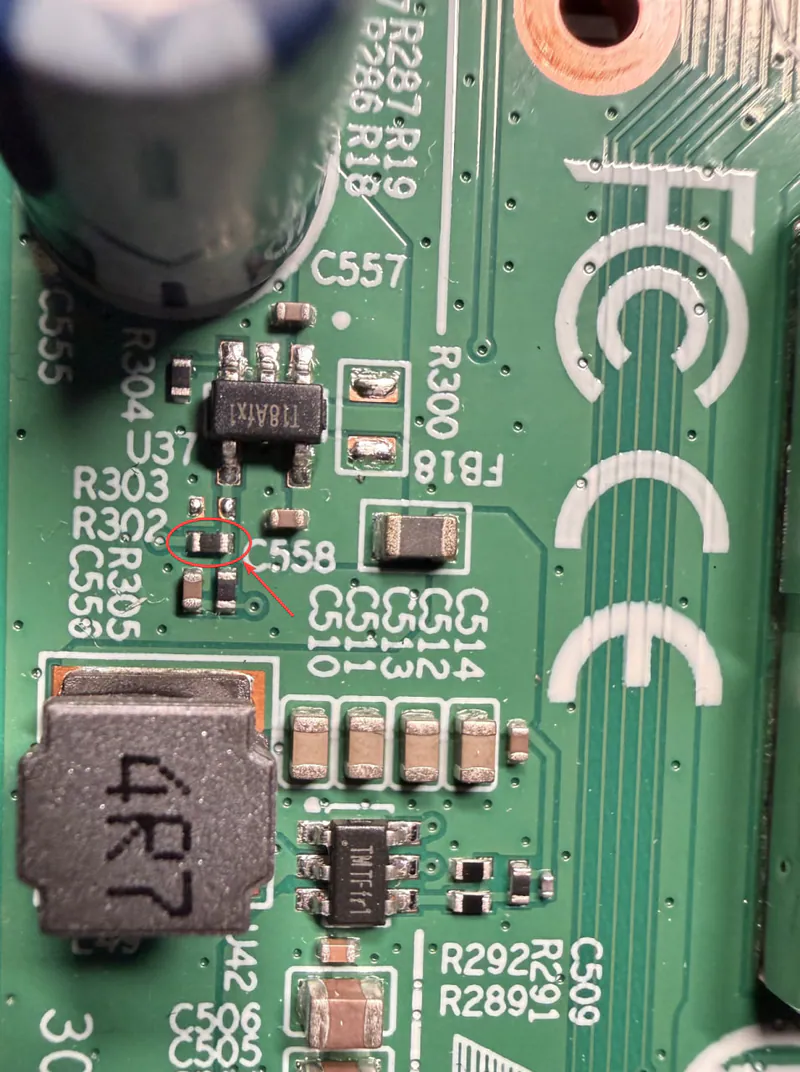
-
Advanced Replace the marked resistor
R305with a new 3.3 kΩ one.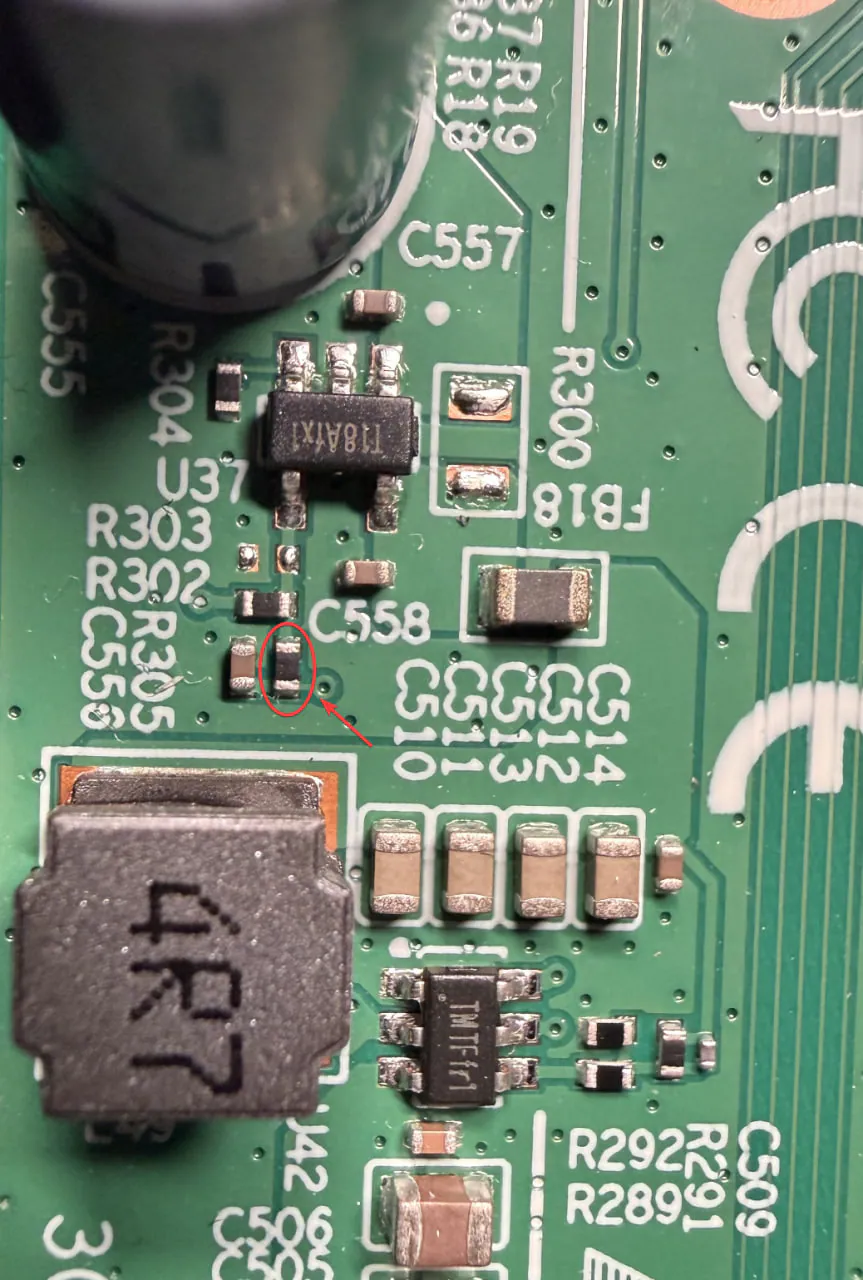
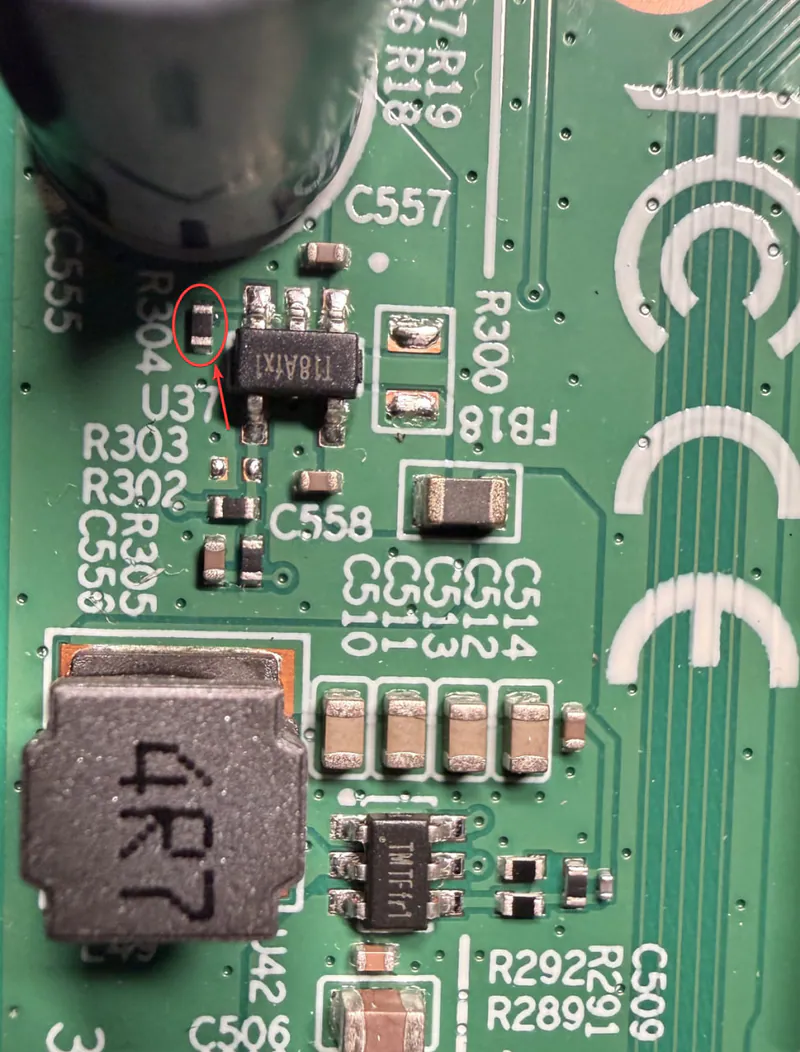
Raising the port current to 2 A§
Replace the marked resistor R304 with a new 2.7 kΩ one.